
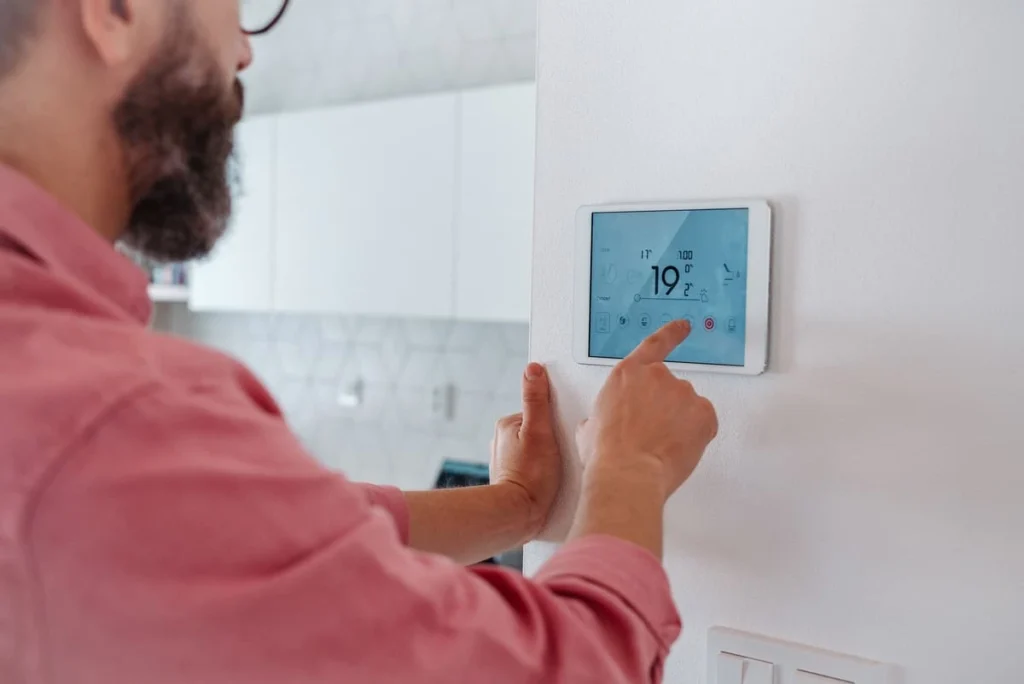
The best smart home upgrades in 2027 are the ones that help you save money and protect your belongings from damage: a smart thermostat, a video doorbell and some water leak sensors. Together they cost around $254. They make your home safer and more comfortable, and they protect it from water damage.
Below we rank eight of the best smart home upgrades from best to worst value, with prices, pros and cons. You’ll also find the features worth paying for and the gadgets to skip.
Quick Picks and Prices
| Rank | Upgrade | Our Pick | Price | Best For |
|---|---|---|---|---|
| 1 | Smart thermostat | ecobee Smart Thermostat Essential | $129.99 | Lower heating and cooling bills |
| 2 | Video doorbell | Ring Battery Doorbell | $99.99 | Packages and visitors |
| 3 | Leak sensors | IKEA KLIPPBOK or ThirdReality | $7.99 to $20.99 each | Catching leaks early |
| 4 | Smart lock | Yale Assure Lock 2 with Wi-Fi | $169.99 | Families and guests |
| 5 | Smart dimmer switches | Lutron Caséta | About $60 each, plus hub | Reliable lighting |
| 6 | Smart smoke and CO alarm | First Alert SC5 | $129.99 | Alerts when you’re away |
| 7 | Smart sprinkler controller | Rachio 3 | From $199.99 | In-ground sprinklers |
| 8 | Smart garage controller | Chamberlain myQ | About $30 | Forgotten garage doors |
The 8 Best Smart Home Upgrades, Ranked
These best smart home upgrades are ranked on what they do for the money, how many homes they suit and how easy they are to install. Prices are US list prices.
1. Smart Thermostat: ecobee Smart Thermostat Essential
Price: $129.99
The smart thermostat is your best bet for earning back its price through savings. It lowers the temperature when you’re sleeping or out of the house and warms the house up again before you get back. According to the U.S. Department of Energy, you can save up to 10% per year on heating and cooling by turning your thermostat back 7 to 10°F for eight hours each day. The ecobee Essential is ENERGY STAR certified and compatible with Alexa, Google Home and Apple Home.
Pros: The cheapest ecobee, works on all major platforms, ENERGY STAR certified
Cons: Room sensors cost extra; needs a C-wire or the included power adapter
2. Video Doorbell: Ring Battery Doorbell
Price: $99.99 (Ring Protect plans from $4.99 a month)
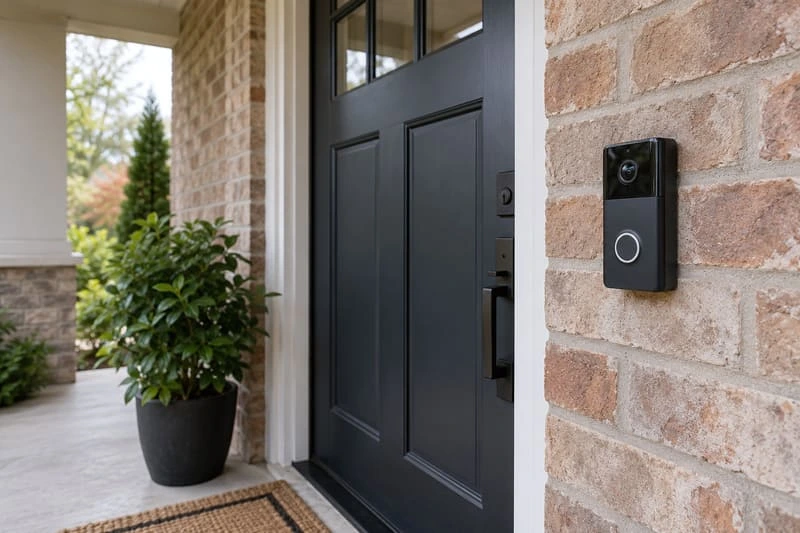
It only takes a week to realize how useful a video doorbell is, because it helps you see your deliveries, your guests and who’s at your door when you’re not at home. Battery-powered video doorbells don’t require any wiring. Even without a plan, you get live view, motion alerts and two-way talk. Saved video needs Ring Protect, which starts at $4.99 a month for one device.
Pros: No wiring needed, quick installation, works with Alexa
Cons: Video recording costs extra; the battery needs recharging
3. Leak Sensors: IKEA KLIPPBOK or ThirdReality
Price: $7.99 to $20.99 each
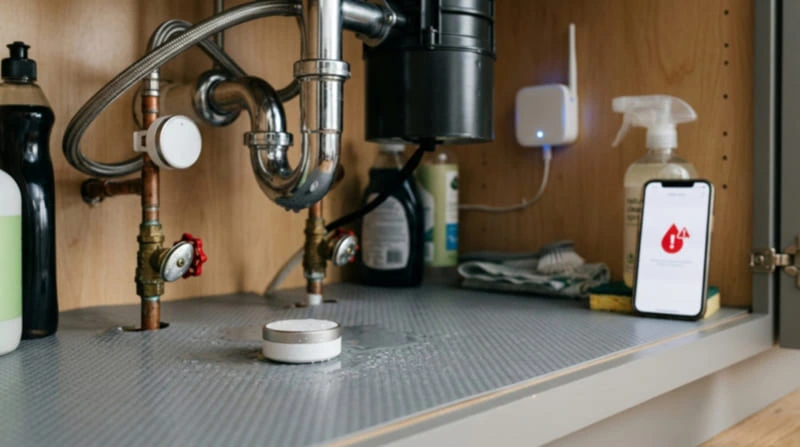
A leak detector is placed below the sink, water heater or washer and notifies your smartphone the moment it gets wet. According to the EPA, the average household’s leaks waste more than 9,300 gallons of water a year, and even a slow drip under the cabinets can ruin the floor before you notice anything. Adding a smart shut-off valve later is optional, in case you want the water to stop on its own. Our best smart home sensors guide shows which sensors are compatible with your system.
Pros: Extremely affordable, easy installation, early detection of slow leaks
Cons: Notification only, so you’ll have to add a valve to stop water automatically; most require a hub or Thread border router
4. Smart Lock: Yale Assure Lock 2 with Wi-Fi
Price: $169.99
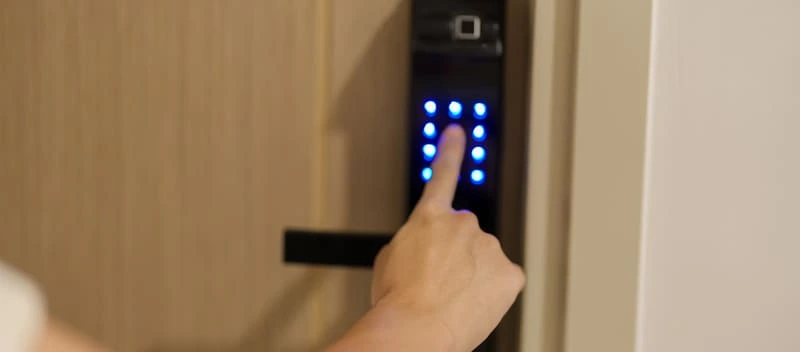
The keypad lock does away with the key under the mat. Assign a code to each person, remove a guest’s code once they’re gone and lock your door remotely from your phone if you happen to forget. This Wi-Fi lock doesn’t require a hub and even has a backup key. If you’re unsure about security, read our guide on whether smart locks are safe.
Pros: Individual codes, no hub required, backup key
Cons: Requires battery replacement, and Wi-Fi locks usually drain batteries faster
5. Smart Dimmer Switches: Lutron Caséta
Price: About $60 per dimmer, plus the Lutron hub
In most rooms, smart switches outperform smart bulbs. Your guests can still use the wall switch, and all the bulbs connected to that circuit become smart. In addition, Caséta requires no neutral wire, something many older houses don’t have in the switch box. Read our smart light switch vs smart bulb guide to know when smart bulbs fit better.
Pros: No neutral wire required, compatible with Alexa, Google Home and Apple Home
Cons: Requires a Lutron hub; you’re wiring a switch, so shut off the breaker or call an electrician
6. Smart Smoke and CO Alarm: First Alert SC5
Price: $129.99
A regular alarm is only effective if someone is home to hear it. A smart alarm sends the alert directly to your phone, which becomes especially important if you’re not at home or you leave your pet home alone. The SC5 covers smoke and carbon monoxide detection in one device. For a cheaper option, Kidde’s smart alarms that work with Ring cost about $75.
Pros: All-in-one smoke and CO detection, phone alerts even when you’re away
Cons: Much more expensive than a simple alarm
7. Smart Sprinkler Controller: Rachio 3
Price: From $199.99
If you have in-ground sprinklers, this replaces your old timer box with a controller that doesn’t water during rainfall. The Rachio 3 is a WaterSense labeled product, and according to the Environmental Protection Agency, switching from a clock-based controller to a WaterSense labeled weather-based controller saves an average home nearly 7,600 gallons of water a year. Look up rebates from your water utility before buying. Our smart sprinkler controllers guide compares other options.
Pros: Rain skip, WaterSense labeled, app control
Cons: Useful only with in-ground systems; requires Wi-Fi where the old timer is located
8. Smart Garage Controller: Chamberlain myQ
Price: About $30
The least expensive upgrade on this list solves a persistent problem: did I close the garage door? The myQ adds phone control and open-door alerts to most existing openers.
Pros: Very inexpensive, easy installation
Cons: Works mostly through its own app, with little support for other systems
Best Smart Home Features to Look For
Before you buy any device, check for the best smart home features that keep it useful for years:
- Matter compatibility. A Matter product works with Alexa, Google Home and Apple Home, so no matter which direction you go, you’re covered.
- Local control. Products that run on your local network keep working even if the internet goes down.
- Immediate alerts and battery backup. In Vivint’s survey of 5,000 US homeowners, real-time alerts (38%) and battery backup (36%) were the highest priorities.
- No subscription requirements. Check what works without a subscription before you buy.
- A switch that still works. Guests should be able to turn on a light without using an app.
The smart home features buyers want line up with this list. In NAHB’s “What Home Buyers Really Want” survey, a programmable thermostat (78%), security cameras (76%) and a video doorbell (74%) topped the tech features buyers rated essential or desirable.
Smart Home Upgrades to Skip
Not every gadget belongs among the best smart home upgrades. These cost a lot or age badly:
- Smart refrigerators. By the time you need to replace the refrigerator itself, the display technology is already obsolete.
- Unknown brand cameras. Without an update policy, how are you supposed to deal with security issues?
- Subscription-only devices. If something requires a subscription to do its job, don’t buy it.
Do Smart Home Upgrades Add Value?
Not much on paper. Appraisals are driven by size, condition and comparable sales, and smart features rarely show up as a line item. Where smart home upgrades help is selling. They make a home feel updated, and the smart home features buyers want most (thermostats, doorbells, cameras) are cheap to add before you list. So buy the best smart home upgrades for how you live now and treat any resale bump as a bonus. If you sell, leave the thermostat and lock behind, but remove them from your accounts and reset them first.
FAQ
A smart thermostat. It’s first among the best smart home upgrades here because it’s the one most likely to pay you back. If you rent and can’t change the thermostat, start with leak sensors and smart plugs, or see our picks of smart home devices for apartments.
What Are the Best Smart Home Features for a New Build
The best smart home features in a new build are the ones installed in the walls, such as a C-wire at the thermostat, neutral wires in switch boxes, an Ethernet cable to the router location and power at the front door for a wired doorbell. They cost little during construction and save rewiring later.
Do You Need a Hub for These Upgrades?
Not for most of these smart home upgrades. The thermostat, doorbell, Wi-Fi lock, sprinkler controller and garage controller all work over Wi-Fi. The Caséta system requires Lutron’s hub, while leak sensors typically require a hub or Thread border router. Read our guide to the best smart home hub.
Where to Spend Your First $254
Start with the ecobee Essential ($129.99), the Ring Battery Doorbell ($99.99) and three IKEA KLIPPBOK leak sensors ($7.99 each). That’s about $254 for the top three best smart home upgrades on this list. The KLIPPBOK sensors need a Thread border router, such as a HomePod mini or a recent Echo. Add a lock or dimmers when you’re ready, then tie it all together with a few smart home automation ideas.