
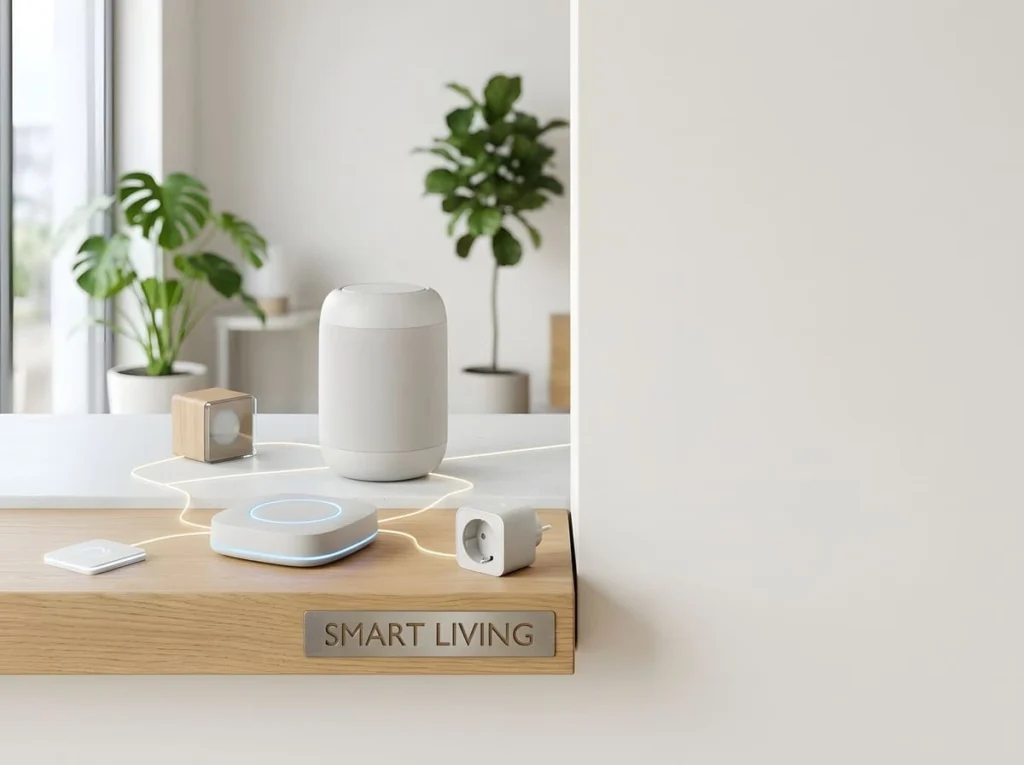
What is Matter smart home technology? Matter is a free, shared language that lets smart devices from different brands work together and run locally, without a trip to the cloud. Buy a Matter plug and it works in Apple Home, Google Home, Alexa, SmartThings and Home Assistant, all from the same box.
It exists because the smart home got messy. Every brand had its own app, its own hub and its own “works with” logo, and nothing was guaranteed to talk to anything else. Matter is the fix the biggest tech companies agreed on. Below you’ll find how it works, how it compares with Zigbee, Thread and Wi-Fi, which devices support it, what it costs and how to set it up step by step.
What Is Matter Smart Home?
Here’s the short version of what is Matter smart home technology: it’s an open standard that defines how a light, lock or sensor describes itself and accepts commands, so any app that speaks Matter can control it. It’s run by the Connectivity Standards Alliance, the group that used to be called the Zigbee Alliance. It started in December 2019 as a project between Amazon, Apple, Google and that alliance, and the first version shipped in October 2022.
If you’ve searched what is Matter smart home standard, you’ve probably seen it called a protocol, a platform or a hub. Strictly speaking, the Matter smart home protocol is none of those things on its own. It’s an application language. It doesn’t care whether the message travels over Wi-Fi, an Ethernet cable or a Thread radio. It only cares that both sides understand it.
Three promises sit behind the logo:
- Any certified device should work with any certified controller, no matter who made either one.
- Devices are built to work locally on your home network, so the basics keep running if the internet or the maker’s servers go down.
- Setup and pairing are encrypted and certified, with a QR code instead of a different account for every brand.
The standard has grown fast. The industry group behind it says it now covers more than 30 device types, and figures it presented in 2026 put the number of certified products above 7,000. That’s why Matter smart home gear went from a handful of plugs to sensors, thermostats, appliances and now cameras.
How Does Matter Work in a Smart Home?
A Language, Not a Network
The easiest way to understand what is Matter smart home tech is to compare it with how websites work. A web page loads the same way whether you’re on cable, Wi-Fi or mobile data. The page doesn’t care about the pipe. Matter is the page, and Wi-Fi, Ethernet and Thread are the pipes.
That’s also why the Matter smart home protocol isn’t a replacement for your Wi-Fi. Plugged-in gear like plugs, TVs and appliances usually uses Matter over Wi-Fi. Small battery Matter devices like door sensors and remotes usually use Matter over Thread, a low-power mesh radio built for exactly that job.
The Four Pieces of a Matter Setup
| Piece | What it does | Examples you may already own |
|---|---|---|
| Controller | The brain. Adds devices, runs automations, talks to your phone app | HomePod mini, Apple TV, Google Nest Hub, Amazon Echo, SmartThings hub, Home Assistant |
| Thread border router | Connects Thread devices to your home network | Built into many of the same speakers, streaming boxes and some Wi-Fi routers |
| Bridge | Translates older Zigbee or Z-Wave devices into Matter | Philips Hue Bridge, IKEA DIRIGERA, many Aqara hubs |
| Devices | The plugs, bulbs, locks and sensors themselves | Anything with the Matter logo |
Many homes already have the first two pieces without knowing it, because one smart speaker often does both jobs.
Local Control and Multi-Admin
Two features make Matter different from the “works with” logos that came before it.
Local control means your phone or hub talks to the device on your home network. Commands don’t bounce through a server in another country, so lights respond faster and keep working during an internet outage.
Multi-admin means one device can live in more than one app at the same time. Your partner can use Google Home on Android while you use Apple Home on an iPhone, and both control the same lamp. Before Matter, you needed bridges or workarounds to do that.
Matter vs Zigbee, Thread and Wi-Fi
Once you know what is Matter smart home tech, the next question is how it relates to the radios printed next to it on the box. This is the part that confuses most people. Here’s how they fit together:
| Matter | Thread | Wi-Fi | Zigbee | Z-Wave | |
|---|---|---|---|---|---|
| What it is | Shared language | Low-power mesh radio | Your home network | Radio plus its own language | Radio plus its own language |
| Works across brands | Yes, by design | Carries Matter | Carries Matter | Only through one hub | Only through one hub |
| Best for | Everything | Battery sensors, locks, remotes | Plugs, appliances, cameras | Cheap sensors and bulbs | Locks and switches in big homes |
| Needs | A controller | A border router | Your router | A Zigbee hub | A Z-Wave hub |
So is Matter better than Zigbee? Matter vs Zigbee isn’t quite a fair fight, because Zigbee is a radio and a language bundled together, while Matter is only the language. Matter over Thread does roughly the job Zigbee used to do, with one big upgrade: every Thread device gets its own network address, so it can talk to any Matter controller instead of one brand’s hub. Zigbee is still cheaper and has a huge back catalog, so it isn’t going away tomorrow.
And Matter vs Thread is a question people ask because the two arrive together. Thread is the road. Matter is the language spoken on it. You can have Thread without Matter, and you can have Matter without Thread (over Wi-Fi), but most new battery devices use both.
Can you mix Zigbee and Matter? Yes. A bridge like the Hue Bridge or IKEA’s DIRIGERA hub shows your Zigbee devices to Matter apps, so old and new gear can share automations. For most homes, the real Matter vs Zigbee answer is “both, for now”. And is Matter different from Wi-Fi? Yes. Wi-Fi is one of the networks Matter can run on, not a competitor.
Matter vs Google Home, Apple Home and Alexa
A lot of people asking what is Matter smart home support really want to know one thing: do I still need Google Home? Yes. Matter isn’t an app, and it doesn’t replace Google Home, Apple Home or Alexa. Those are controllers, and they all speak Matter. Think of them as different remote controls that now understand the same TV.
Is Matter supported by HomeKit? Yes. Apple Home added Matter support in 2022, and HomePods and Apple TVs act as controllers and Thread border routers. Google Home and Alexa do the same with Nest and Echo devices.
The catch is timing. The platforms add new Matter versions on their own schedules. Apple Home, for example, still hadn’t fully adopted Matter 1.5 when Matter 1.6 arrived in June 2026. So a new device type can be certified months before your app shows it properly.
Matter Smart Home Devices: What Works With Matter
The clearest answer to what is Matter smart home gear is a list of what you can actually buy. The list of Matter smart home devices grows with every version of the standard, so if your real question is what is Matter smart home standard support in a given product, check the version number. Here’s what each release added:
| Version | Released | Device types added |
|---|---|---|
| 1.0 | October 2022 | Bulbs, plugs, switches, locks, thermostats, blinds, sensors, TVs, bridges |
| 1.2 | October 2023 | Fridges, room air conditioners, dishwashers, washing machines, robot vacuums, smoke and CO alarms, air purifiers, fans |
| 1.3 | May 2024 | Energy reporting, EV chargers, leak and freeze sensors, water valves, ovens, microwaves, cooktops, dryers |
| 1.4 | November 2024 | Solar panels, home batteries, heat pumps, water heaters, routers |
| 1.5 | November 2025 | Cameras, garage doors and other closures, soil moisture sensors, better energy management |
| 1.6 | June 2026 | Tap-to-pair NFC setup, device sharing across ecosystems, smarter thermostat suggestions |
Soil sensors are a nice surprise for plant people. If you’re already using a soil moisture meter for indoor plants, a Matter version can now report straight into Apple Home or Google Home.
So what is Matter compatible in a typical house? Look for the Matter logo and a QR code on the box or the device. Brand-name bulbs and plugs, newer smart locks (our guide to smart lock compatibility explains what to check) and most new thermostats qualify. Older devices can join through a bridge or a firmware update, depending on the brand.
What Devices Are Compatible With IKEA Matter?
IKEA is the biggest reason prices for Matter smart home devices dropped. In 2026 it rolled out 21 Matter-over-Thread products, including KAJPLATS bulbs, BILRESA remotes, MYGGSPRAY motion sensors, MYGGBETT door sensors and the ALPSTUGA air quality sensor. Prices start at $5.99 for a remote.
You don’t need IKEA’s DIRIGERA hub for them if you already own a Matter controller with a Thread border router, like a HomePod mini or a recent Echo. DIRIGERA ($109) is still the easy choice if you also own older IKEA Zigbee lights, because it bridges those into Matter too.
Do You Need a Matter Hub?
For most people, the practical side of what is Matter smart home setup comes down to one question: do I need another box? You need a controller, and you probably own one already. Any recent HomePod, Apple TV, Nest Hub or Echo can add Matter compatible devices and run automations. A separate Matter hub only makes sense in three cases:
- You have Thread devices but nothing that works as a Thread border router.
- You own Zigbee or Z-Wave gear you want to keep using alongside Matter.
- You want everything to run locally with no big-tech account, which is where Home Assistant, Hubitat and Homey come in.
Can I use Matter without a hub? Partly. Wi-Fi Matter devices pair straight to your phone and network. But automations, remote access and Thread devices need something always on at home, so in practice you’ll want one controller.
One tip: if you buy several border routers, try to keep them in one ecosystem. Mixing brands used to create separate Thread networks that didn’t help each other. Newer border routers fix this by sharing network credentials, but it’s still the most common reason Thread devices drop off. That’s the practical side of Matter vs Thread: Matter decides what your devices say, and Thread decides how far the signal reaches.
How to Set Up Matter Smart Home Devices

Knowing what is Matter smart home tech is one thing. Pairing your first device is where it clicks. Here’s how to set up Matter smart home devices the first time:
- Pick your main app. Use the one your household already lives in: Apple Home, Google Home, Alexa, SmartThings or Home Assistant.
- Check your controller. Make sure your speaker, hub or streaming box is updated and on the same Wi-Fi network as your phone. For Thread devices, make sure it’s also a Thread border router.
- Find the setup code. It’s a QR code plus an 11-digit number, printed on the device, the box or a small card inside. Take a photo of it before you throw the box away.
- Add the device. In your app, tap Add Device, choose Matter and scan the QR code. If the camera won’t read it, type the 11-digit code instead.
- Name it and assign a room. Do this now, because the name is what you’ll say to your voice assistant.
- Share it to a second app if you want. In the first app, open the device settings and look for Turn On Pairing Mode, Linked Matter Apps or Other Assistants and Apps. It creates a new code, which usually expires in a few minutes, so enter it in the second app right away.
If pairing fails, run through this list:
- Keep your phone on 2.4 GHz Wi-Fi during setup if the device is Wi-Fi only.
- Stand close to the controller for the first pairing.
- Factory reset the device and try again. The original code only works for the first app.
- Update the controller and the phone app.
- Install the maker’s own app if a feature is missing. Matter covers the basics, and some extras still live in the brand’s app.
That’s really all how to set up Matter smart home gear takes. Most Matter smart home gear pairs in under two minutes once the controller is ready.
What Does a Matter Smart Home Cost?
Matter itself is free. There’s no subscription and no license for homeowners. What you pay for is hardware, and Matter compatible devices now start at $5.99. A dedicated Matter hub is optional, so many people spend nothing on the brain of the system.
| Item | Typical price | Notes |
|---|---|---|
| Matter itself | Free | No subscription or license for homeowners |
| Speaker or display that works as a controller | $50-$180 | HomePod mini $99, Echo Hub about $180 |
| Dedicated hub or bridge | $30-$430 | Aqara Hub M100 about $30, IKEA DIRIGERA $109, Hubitat C-8 Pro about $180-$200, Home Assistant Green about $199-$219, Homey Pro about $400+ |
| Cheapest Matter devices (IKEA) | $5.99-$29.99 | BILRESA remote $5.99, MYGGSPRAY motion sensor $7.99, MYGGBETT door sensor $7.99, ALPSTUGA air sensor $29.99 |
| Matter smart plug | $10-$25 | |
| Matter smart bulb (brand names) | $10-$50 | |
| Matter smart lock | $150-$300 | |
| Matter smart thermostat | $100-$280 |
Prices checked November 2026 at major retailers and brand websites.
If you already own a smart speaker, a starter setup with a couple of plugs or IKEA sensors costs $20 to $60. A first setup with a dedicated hub runs $150 to $400. A whole home with locks, a thermostat and lighting usually passes $1,000.
Matter Pros and Cons
Any honest answer to what is Matter smart home tech has to cover the downsides too. A Matter smart home is a real step forward, but it isn’t magic. Here’s the honest version.
Pros:
- One device works with every major platform, so you’re not locked into one brand.
- Local control makes devices faster and keeps them working if a company shuts down its cloud.
- Setup is the same everywhere: scan a code and you’re done.
- Cheap Matter devices from IKEA and others have pushed prices down.
Cons:
- Features lag. Matter covers the basics, but brand apps often unlock extras like energy graphs or advanced settings.
- Platforms adopt new versions slowly, so a new device type may not show up properly in your app yet.
- Thread needs a border router, and mixing brands can still cause dropouts.
- Wi-Fi Matter devices drain batteries fast, which is why most battery gear uses Thread.
- Many devices still can’t control each other directly without a hub online.
Do you need Matter if your smart home already works? Not right away. If your SmartThings or Google Home setup does everything you want, Matter won’t change much today. It starts to matter when you buy new devices or switch platforms. It also protects you if a brand pulls the plug on its servers. Next time you shop, choosing Matter gear is the safer bet. If you’re newer to all this, our guide to what is smart home automation covers the routines worth setting up first.
FAQ
In your smart home app. Open Apple Home, Google Home, Alexa or SmartThings, tap Add Device, choose Matter and scan the QR code. If scanning fails, there’s a “set up without QR code” option where you type the 11-digit number printed under the QR code.
What does it mean when a device is Matter enabled?
It means the device passed Matter certification and can be added to any Matter controller with its setup code. Look for the Matter logo. A device that only says “works with” a platform may need a bridge or a firmware update first.
Can Matter work over Wi-Fi?
Yes. Matter runs over Wi-Fi, Ethernet and Thread. Plugged-in devices like plugs and appliances usually use Wi-Fi, while battery devices use Thread to save power.
Who owns Matter?
No single company. Matter is run by the Connectivity Standards Alliance, an industry group with hundreds of member companies, including Amazon, Apple, Google and Samsung. The standard is free for homeowners to use.
Is Matter secure?
Matter devices pair through an encrypted, certified process, and each device has to prove it’s genuine before it joins your network. For extra peace of mind, look for the FCC’s upcoming Cyber Trust Mark, a security label built on NIST’s consumer IoT baseline. According to the FCC, the label comes with a QR code that links to security details for the product. Also follow the Federal Trade Commission basics: strong passwords, updates and a secure router. Our guide on whether smart locks are safe covers locks in detail.
Will my older smart devices work with Matter?
Some will. If you’re unsure what is Matter compatible among your older gear, check the brand’s update notes. Many brands added Matter through firmware updates, and bridges like the Hue Bridge or IKEA DIRIGERA bring older Zigbee devices into Matter apps. Devices that get neither stay in their own app.
Final Thoughts
So, what is Matter smart home technology in one line? It’s the shared language that finally lets your devices ignore brand borders. You don’t need to replace anything today. Just look for the Matter logo next time you buy a plug, bulb, lock or sensor, use the controller you already own and let your smart home grow one device at a time.