
The best smart home devices for elderly parents are the ones that deal with falls and calling for help first. That would be an Apple Watch SE 3 with fall detection if your parent has an iPhone, or a medical alarm system such as Bay Alarm Medical if your parent does not have an iPhone. After this, a set of night lights with motion sensor technology is far more useful for safety than a smart speaker.
All other devices listed below will help with check-ins, protect your front door or prevent missed medications.
No device from this list requires automation of your whole house, and some devices do not even require a Wi-Fi connection.
Our Top Picks at a Glance
| Rank | Device | Price | Monthly Fee | Best For |
|---|---|---|---|---|
| 1 | Apple Watch SE 3 | $249-$299 | Optional cellular plan | Fall detection |
| 2 | Bay Alarm Medical | $0-$245 equipment | From $27.95 | Medical alert without an iPhone |
| 3 | Motion-sensor night lights | $20-$35 a pack | None | Low-cost fall prevention |
| 4 | Amazon Echo Show 8 | $125-$180 | Optional, about $6 | Video calls and check-ins |
| 5 | Lutron Caseta dimmer and Pico remote | $60-$130 | None | Parents who hate gadgets |
| 6 | Yale Assure Lock 2 | $160-$280 | None | Emergency access |
| 7 | Ring Battery Doorbell | About $100 | Optional, about $5 | Screening visitors |
| 8 | Aqara Presence Sensor FP2 | $58-$83 | None | Camera-free monitoring |
| 9 | Hero pill dispenser | Included with plan | $29.99-$59.99 | Medication reminders |
Prices are at the time of writing and change often with sales.
How We Picked These Devices
Falls came first. About 1 in 4 adults 65 and older falls each year, and falls are the leading cause of injury in that age group. So we judged the best smart home devices for elderly parents by how well each one prevents a fall or gets help after one. Then we looked at ease of use, internet needs and monthly cost.
Most smart home technology for seniors fails because it’s too hard to use or stops working. We went through a long list of the best smart home devices for seniors and kept nine reliable ones. A smart home for seniors works better with five dependable devices than fifteen cheap ones.
The 9 Best Smart Home Devices for Elderly Parents, Ranked
Here are the best smart home devices for elderly parents, from most to least useful.
1. Apple Watch SE 3: Best for Fall Detection
Price: $249 (GPS) or $299 (cellular)
Best for: iPhone users who will wear a watch every day
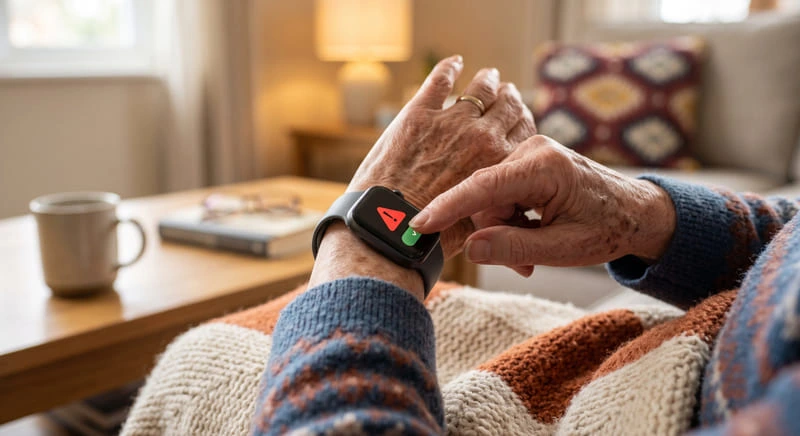
If your parent has an iPhone, this is the strongest of the fall detection devices for elderly people we looked at. A hard fall triggers taps on the wrist and an audible alarm. When your parent does not respond within about one minute, the watch calls for help and notifies your parent’s emergency contacts. Fall detection will be automatically turned on for people who are 55 years old and above. It is recommended to get the cellular version, so the watch can call for help even when the iPhone is in another room.
Pros:
- Calls for help automatically following a hard fall
- No monitoring fee
Cons:
- Requires an iPhone and needs to be charged every day
- Apple claims it cannot detect all falls
2. Bay Alarm Medical: Best Medical Alert System
Price: 0-245 for equipment, plans from $27.95 a month
Best for: Parents without an iPhone or home internet
A medical alert system is the simplest of all devices for elderly living alone. Your parent has a necklace or bracelet and simply has to press one button to connect with an agent who can contact family or a friend and even call 911. Bay Alarm Medical sells units for both home and mobile use, and they use cellular service, which means that they don’t require Wi-Fi.
Fall detection costs $10 extra per month, and there’s no long-term contract. If fall detection is the main reason you’re considering the purchase, you might want to check out Medical Guardian, which some reviewers rate higher for catching falls.
Pros:
- One button, no app or voice commands
- Works without home internet
Cons:
- A monthly fee for as long as you use it
- Pendant fall detection misses some falls, like any wearable
3. Motion-Sensor Night Lights: Best Low-Cost Fall Prevention
Price: 20-35 for a multi-pack
Best for: Every home, whatever else you buy
These lights aren’t particularly smart. The idea is that they turn on automatically when your parent goes to the bathroom at night, without the need for Wi-Fi or an app. No list of the best smart home devices for elderly parents is complete without them. The National Institute on Aging has mentioned that night lights in bedrooms, hallways and bathrooms are one of the easiest methods to increase the safety of your home.
There is one combination which is very effective for this purpose: a motion light strip placed below the bed, with the sensor fixed close to the bottom of the bed leg at the head of the bed. Rolling over does not trigger it, but footsteps do.
Pros:
- The cheapest fall prevention on this list
- No setup or internet needed
Cons:
- Battery models need recharging every few months
4. Amazon Echo Show 8: Best for Video Calls and Check-Ins

Price: $179.99 list, often 125-150 on sale
Best for: Daily check-ins with family
The Amazon Echo Show 8 has an 8-inch display screen. Your parent can say “Alexa, call Sarah” to make a video call, and provided that they allow it, you will be able to use Drop In from your phone to see how they are doing. Additionally, it announces reminders regarding appointments and medication.
One limit: Alexa cannot automatically dial 911. Alexa Emergency Assist from Amazon provides voice access to 24/7 urgent response agents for $6 per month. If this service isn’t activated, your parent will still be able to ask Alexa to call their family.
Pros:
- Big screen and easy voice calls
- Family can set reminders from their own phone
Cons:
- No 911 calling without the paid add-on
- Voice commands get harder for some people with age
5. Lutron Caseta Dimmer and Pico Remote: Best for Parents Who Hate Gadgets
Price: About 60-130 with the Smart Bridge
Best for: Parents who want light switches to work the way they always have
A smart home for elderly parents shouldn’t change how a light switch works. The Caseta dimmers act like regular wall switches, since they simply have to be pressed for the lights to be turned on. The Pico remote is a small wireless control that sits on the nightstand, so your parent can turn on the light from bed without getting up. Lamps can even be switched on automatically at sunset.
The Caseta brand is known for its reliability, and that counts. If something fails twice, your parent will no longer trust that device. Need some help with choosing? Read our post about smart light switch vs smart bulb.
Pros:
- Works like a normal switch with no learning curve
- Very reliable connection
Cons:
- Wall dimmers need some wiring work or an electrician
6. Yale Assure Lock 2: Best Smart Lock for Emergency Access
Price: About 160-280, depending on the model
Best for: Letting family, carers or paramedics in fast
If your parent is hurt and can’t get to the door, then somebody needs to be able to enter. With a keypad lock, you can assign individual codes to neighbors, caregivers and family members. With Wi-Fi models, you can unlock the door remotely using your smartphone to let an ambulance team inside. No key hidden under the doormat.
For more comparisons, visit our smart lock round-up. If your parent is concerned about hacking, check out our article on the safety of smart locks.
Pros:
- A separate code for each person, with a log of who came in
- Remote unlocking on Wi-Fi models
Cons:
- Batteries need changing every few months to a year, depending on the model
7. Ring Battery Doorbell: Best for Screening Visitors
Price: About $100, plus about $5 a month to save recordings
Best for: Parents who get unexpected visitors or doorstep scams
The video doorbell lets your parent see who is at the door on the phone or Echo Show device, without rushing to open it. Your family can receive notifications as well, which helps when someone claims to work for the gas company.
Pros:
- No wiring needed
- Shows the front door on an Echo Show screen
Cons:
- Saving recordings needs a subscription
8. Aqara Presence Sensor FP2: Best Camera-Free Monitor
Price: $82.99 list, often about $58 on sale
Best for: Checking on activity without cameras
Instead of a camera, the FP2 makes use of mmWave radar. The device detects whether someone is present in the room, whether they move or not, and alerts you when nobody has moved for some time. Mounted on the ceiling, it also has a fall detection mode. Compared with wearable fall detection devices for elderly people, there’s nothing to wear or charge. That makes it handy aging in place technology for rooms where a camera would feel wrong.
Aqara says it isn’t a medical device, so treat it as an extra layer next to a watch or pendant. It needs 2.4 GHz Wi-Fi and USB power.
Pros:
- No camera, so more privacy
- No monthly fee
Cons:
- Not a medical device
- Needs constant power and some setup time
9. Hero Pill Dispenser: Best for Medication Reminders
Price: Device included with a plan, 29.99-59.99 a month
Best for: Parents on several daily medications
Hero can hold up to 10 medications and up to a 90-day supply. At dose time, it will beep and flash its lights, and your parent will push one button to get the right pills. If any dose is missed, then Hero will notify the family through its mobile application. It is the most expensive choice monthly, hence the lowest ranking.
Pros:
- The right pills with one button press
- Missed-dose alerts for family
Cons:
- An ongoing monthly cost and it needs Wi-Fi
Other Gadgets for Elderly Safety Worth Adding
A few smaller gadgets for elderly safety are worth the money too:
- Water leak sensors placed below the sink, so a leak doesn’t turn into a slippery floor
- Smart smoke and CO alarms that send alerts to your mobile device
- A stove shut-off device that turns off the cooktop if it stays on for a long time
- Wireless panic buttons kept next to the bed and toilet that send alerts to your family’s cell phones
How Can I Monitor My Elderly Parents Remotely?
Monitor in layers, so no single device has to do everything. A good smart home for elderly parents usually has four parts:
- A way of signaling an emergency: a watch or pendant, plus a speaker or push button in the bedroom for when the wearable device is charging.
- Activity notifications: sensors that notify you when something did not happen, for example, no activity in the kitchen by 10 a.m.
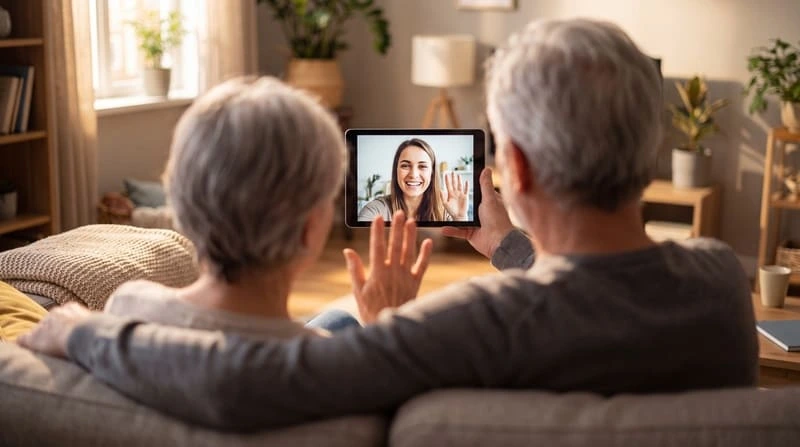
- Check-ins: a daily video call on the Echo Show or a telephone call scheduled at certain times.
- Access control: a keypad lock so that help can enter the house.
If your parent uses an iPhone, then an Apple HomePod mini should be installed in the bedroom. In this case, your parent can say “Hey Siri, call Sarah” and the call will go through the iPhone, even if the iPhone is in another room.
Consulting your parent before installation is important. Most people find a hallway sensor much more acceptable than a camera, so cameras should only be used at entrance points, and voice announcements that might startle your parent should be turned off.
Any smart home technology for seniors only works if your parent agrees to live with it, and even the best smart home devices for elderly parents can’t replace a regular phone call. Our guide to smart home automation explains how routines and alerts work.
How Much Does a Smart Home for Seniors Cost?
You can set up a useful smart home for seniors for under $200, or spend over $1,000 for full coverage. Most of the best smart home devices for elderly parents cost less than a new phone. Monthly fees are what add up.
| Budget | What You Get | Upfront | Monthly |
|---|---|---|---|
| Basic | Night lights, Echo Show 8 and a smart plug for a lamp | About 150-200 | 0-6 |
| Middle | Basic plus a medical alert with fall detection and a keypad lock | About 310-725 | About 38-51 |
| Full | Middle plus Apple Watch, video doorbell, presence sensor, Caseta and pill dispenser | About 780-1,340 | About 73-126 |
Most families don’t need both a watch and a medical alert, so pick one and save. Original Medicare usually doesn’t pay for any of this, though some Medicare Advantage plans include a medical alert benefit.
FAQ
The most useful gadgets for elderly people prevent falls or get help fast: motion night lights, a fall detection watch or medical alert pendant, a video calling speaker like the Echo Show 8 and a keypad door lock.
What Is the Best Device for Elderly People Who Live Alone?
A medical alert system that detects falls, or the cellular version of the Apple Watch (for iPhone users). Both can get help if your parent is unable to reach a phone. These are the most important devices for elderly living alone, and the rest of the best smart home devices for elderly parents build on them.
Can Alexa Call 911?
No, not automatically. While Alexa can reach out to the people that you’ve designated, she cannot dial 911. Alexa Emergency Assist costs around six dollars per month and links your parent up with an urgent response agent who can send help.
Do These Devices Need Wi-Fi?
Most do. The ones that don’t are simple motion night lights and cellular medical alert systems. The cellular Apple Watch can reach out for help without Wi-Fi but will need an iPhone to configure it.
Final Thoughts
If you buy only two things, make them a way to call for help and a pack of motion night lights. That covers the biggest risk, often for under $300 upfront. Then add the rest of the best smart home devices for seniors one at a time. The best smart home devices for elderly parents are the ones they actually use. Good aging in place technology fits into the day without changing it, so stick with reliable brands and pair the tech with simple fall prevention steps like clearing loose rugs and adding grab bars. Want devices that work across brands? Our Matter guide explains how.