
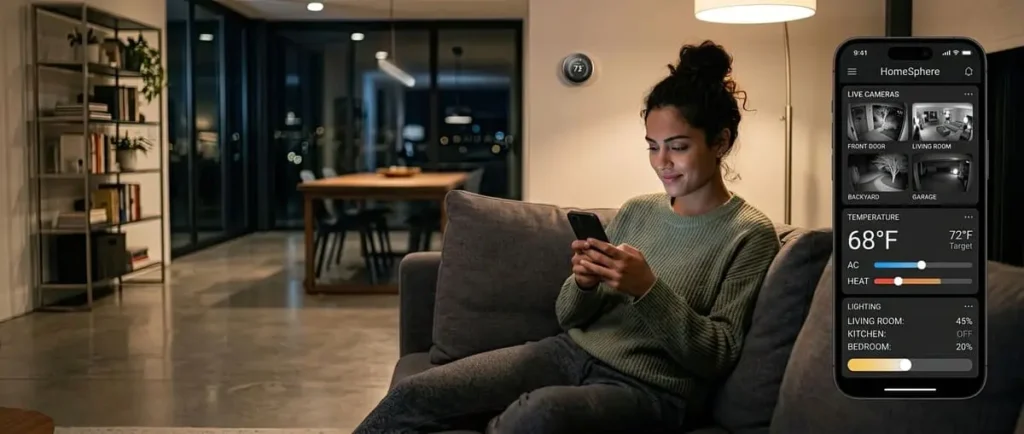
The best smart home app for most people is Google Home. It’s free and it works on iPhone and Android. In addition, it is compatible with thousands of devices, including any device that supports Matter. If everyone in your home has an iPhone, then Apple Home will be simpler and more private than Google Home. However, if you want one app to control almost everything you have, Home Assistant is your best choice, as long as you’re willing to buy a small hub and spend a weekend setting it up.
We ranked eight smart home apps from most to least useful and added what each one really costs. “Free” usually comes with a hub or a subscription, so we list both.
Our Top Picks at a Glance
| Rank | App | Cost | Hub Needed | Phones | Best For |
|---|---|---|---|---|---|
| 1 | Google Home | Free, optional Premium $10-$20/mo | Optional | Android, iPhone | Most people |
| 2 | Home Assistant | Free, optional Cloud about $6.50/mo | Yes, about $199 | Android, iPhone | Controlling everything |
| 3 | Apple Home | Free | Yes, $99 and up | iPhone, iPad, Mac | iPhone households |
| 4 | Samsung SmartThings | Free | For Zigbee and Z-Wave, $60-$130 | Android, iPhone | Samsung and mixed devices |
| 5 | Amazon Alexa | Free, Alexa+ $19.99/mo without Prime | Echo device | Android, iPhone | Voice control |
| 6 | Homey | Free app | Yes, $69-$449 | Android, iPhone | Easy all-in-one |
| 7 | Hubitat Elevation | Free app | Yes, about $150-$200 | Android, iPhone | Local automations, no fee |
| 8 | Smart Life | Free | No, for Wi-Fi devices | Android, iPhone | Budget plugs and bulbs |
Prices are at the time of writing.
How We Picked These Apps
To find the best smart home app, we evaluated the number of brands that can be managed by the app, ease of use by all members of the family and the total cost, including the hub and any subscription. We also examined its compatibility with iPhones and Android devices as well as its ability to function without an internet connection.
A good smart home control app should replace the pile of brand apps on your phone. The best smart home platform for you also depends on the phones and devices you already own, so each pick below has a clear “best for”.
The 8 Best Smart Home Apps, Ranked
Here’s every pick, from the best smart home app for most homes down to the most specialized.
1. Google Home: Best for Most People
Cost: Free. Google Home Premium is $10 a month (Standard) or $20 a month (Advanced).
Phones: Android and iPhone
Best for: Mixed-brand homes and Android users
The most convenient way to get started is Google Home. It is compatible with a wide variety of brands, integrates Matter devices in just a few taps and operates from any smartphone. Google Home’s free tier gives you access to the Gemini for Home voice assistant on compatible speakers and displays. Premium tiers have replaced Nest Aware, providing camera history and additional AI features.
It’s also the best smart home app for Android, since it’s built into the phone’s quick settings. Stuck between two big platforms? Our SmartThings vs Google Home comparison is further down.
Pros:
- It’s free and compatible with both kinds of phones
- Easy to set up and good support for Matter
Cons:
- Automation features are limited compared to Home Assistant
- Primarily cloud-based, so an internet outage can stop routines
2. Home Assistant: Best App to Control Everything
Cost: Free software and app. Home Assistant Green costs about $199. Home Assistant Cloud is optional at about $6.50 a month.
Phones: Android and iPhone
Best for: People who want one app for every device
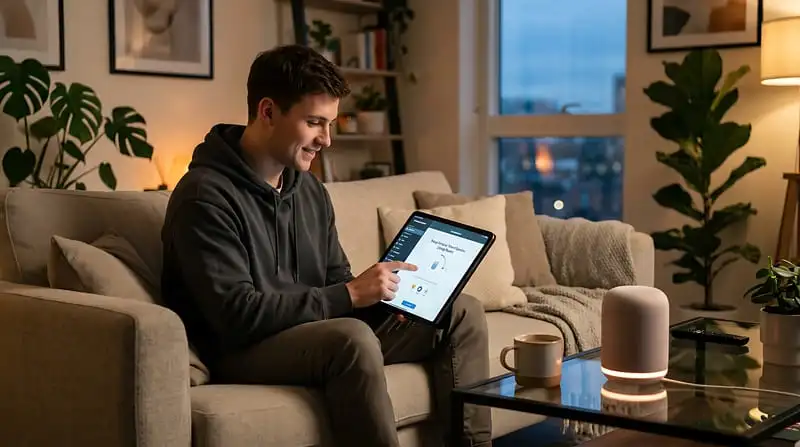
If you’re looking for the best app to control all smart home devices, this is it. For power users, it’s the best smart home app by a wide margin. Home Assistant connects to thousands of brands, runs on a small box in your home and keeps working when the internet is down. Its automations can do things the big apps can’t, like a hallway light that fades up to 10% at night and turns itself off five minutes later.
But it comes at a price, which is time. It needs hardware to operate, and the easiest solution, Home Assistant Green, went from $99 to about $199 in 2026. For an additional fee, you can add Home Assistant Cloud, which includes remote access and integration with Alexa and Google voice control.
Pros:
- Local control for practically any brand
- Automations here are among the strongest
Cons:
- A real learning curve and ongoing maintenance
- Requires a hub or an extra computer
3. Apple Home: Best for iPhone Households
Cost: Free. Needs a HomePod mini (99)orAppleTV4K(129 and up) as a home hub.
Phones: iPhone, iPad and Mac only
Best for: Families who all use Apple devices
Apple Home has the most elegant design of all the apps that are available today, and it is quite easy to use even for children and seniors. It supports Siri, Control Center and Apple Watch. However, a home hub is required. Without a HomePod or Apple TV, you can’t run automations, control your home away from home or add Matter devices. Since February 2026, an iPad cannot be used as a hub anymore. For an all-Apple family, though, it’s the best smart home app for iPhone users.
Pros:
- Excellent application suitable for the entire family
- Good privacy
Cons:
- Android is not supported
- More limited compatibility unless you get Matter equipment
4. Samsung SmartThings: Best for Samsung and Mixed Devices
Cost: Free. A SmartThings Station or Aeotec hub costs about 60-130, or a recent Samsung TV or fridge can act as the hub.
Phones: Android and iPhone
Best for: Samsung owners and homes with older Zigbee or Z-Wave gear
SmartThings falls in between Google Home and Home Assistant. Using a hub, it can communicate with Matter, Zigbee, Z-Wave, Thread and Wi-Fi devices, and some automations run locally. It comes pre-installed on Galaxy phones and connects with Samsung televisions, washers and refrigerators. If you own a Galaxy, it’s a close second for the best smart home app for Android.
Pros:
- Supports more device types than Google Home or Apple Home
- No subscription
Cons:
- The app can feel busy for beginners
- Most automations still run in Samsung’s cloud
5. Amazon Alexa: Best for Voice Control
Cost: Free. Alexa+ is free with Prime or $19.99 a month without it.
Phones: Android and iPhone
Best for: Echo owners who mostly use their voice
Alexa is compatible with a vast number of devices, and Echo speakers make it the most convenient voice-controlled method of running your house. The new Alexa+ does a better job of handling multi-part questions and long requests, while regular Alexa remains free. The Alexa app is, however, the weakest part. It is overloaded with features, and routines lack the flexibility of those in Google Home and Home Assistant. Echo screens, on the other hand, work well as control panels, as we explain in our guide to the best smart home devices for elderly parents.
Pros:
- The best voice control and wide device support
- Echo Show and Echo Hub screens work as control panels
Cons:
- Cluttered app
- Alexa+ costs $19.99 a month without Prime
6. Homey: Best Easy All-in-One Hub App
Cost: Free app. Homey Pro is $449, Homey Pro mini is $249 and Homey Bridge is $69. Homey Premium is about $2.99 a month with the Bridge.
Phones: Android and iPhone
Best for: People who want Home Assistant’s reach without the tinkering
If you can afford the hardware, Homey is the best all-in-one smart home app for non-tinkerers. Homey Pro offers radios for Zigbee, Z-Wave, Matter, Thread, infrared and 433 MHz. It thus communicates with devices that most other hubs fail to communicate with. The Flow editor creates automations through a simple card-based interface, and Homey runs locally. Prices were hiked on June 1, 2026.
Pros:
- Easier than Home Assistant and more powerful than Google Home
- No required subscription on Homey Pro
Cons:
- Expensive hardware
- A smaller community than Home Assistant
7. Hubitat Elevation: Best for Local Automations Without a Subscription
Cost: Free app. The C-8 Pro hub costs about 150-200.
Phones: Android and iPhone
Best for: Reliable local automations with no monthly fee
Hubitat manages all operations on your hub at home, which ensures that automations are quick and continue without any internet connection. Hubitat has Zigbee, Z-Wave and Matter technology included in it, and it also connects to Alexa and Google voice control without any additional fees. However, Home Assistant requires its paid Cloud plan for an easy Alexa configuration.
Pros:
- Quick, local and private
- Free voice access to Alexa and Google
Cons:
- Plain app design
- Fewer integrations than Home Assistant
8. Smart Life: Best for Budget Wi-Fi Devices
Cost: Free
Phones: Android and iPhone
Best for: Cheap plugs, bulbs and switches
Many budget-friendly brands make products that operate through Tuya’s system. They can all be controlled via the application called Smart Life, which is available for free and requires no hub for Wi-Fi devices. It’s the smart home app most budget plugs tell you to download. Everything goes through Tuya’s cloud, though, so it stops working if Tuya’s servers or your internet go down.
Pros:
- Free with no hub needed
- Works with many budget brands
Cons:
- Cloud only
- Basic automations
Can One App Control All Your Smart Home Devices?
Mostly, yes. Even the best all-in-one smart home app won’t control every device out of the box, because brands use different standards and some lock their gear to their own app. You can get close, though:
- Choose one primary app. This is likely to be Google Home, Apple Home or SmartThings for most homes. The app with the broadest compatibility is either Home Assistant or Homey.
- Purchase products with Matter compatibility. They work with all the major apps, so there’s no vendor lock-in. Our guide on what Matter is describes its function, while our smart lock compatibility guide is helpful when buying your locks.
- For everything else, use bridges. Hue, Lutron and Zigbee bridges integrate your legacy devices into your primary app.
You’ll still keep a few brand apps for setup and firmware updates. Day to day, one smart home control app can handle almost everything. So what’s the best app to control all smart home devices for you? Home Assistant if you like to tinker, Homey if you’d rather pay to skip the tinkering and Google Home if you just want it to work.
SmartThings vs Google Home: Which Is Better?
In the SmartThings vs Google Home match-up, Google Home is simpler while SmartThings can do much more. Choose Google Home if you have Nest speakers, need the easiest app or prefer Gemini voice control. Go for SmartThings if you have Samsung home appliances or Zigbee or Z-Wave products. It also provides you with greater automation control. Neither is the best smart home app for every home.
Both are free, both work on iPhone and Android and both support Matter. Thanks to Matter, you can even use both, with the same device showing up in each app.
Best Smart Home Dashboard App
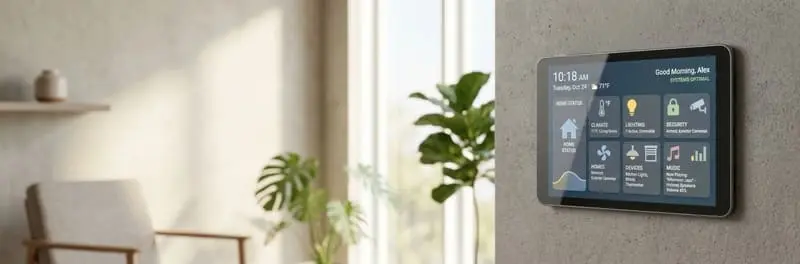
A smart home dashboard is a screen that shows your whole home at a glance: lights, locks, cameras, temperature and energy use. It’s handy on a wall by the front door or in the kitchen. The best smart home dashboard app depends on your platform:
- The most flexible dashboards belong to Home Assistant. Create a custom dashboard on a cheap Android tablet using Fully Kiosk Browser (about $11, one time), which locks the screen to your dashboard.
- The Homey app has pre-built dashboards.
- For Alexa owners, there is the Echo Hub, a ready-to-use wall panel.
- Apple Home works great on an iPad on a stand (though an iPad can’t serve as a hub anymore).
To create one, pick the screen, mount it near a power outlet and set the smart home dashboard app to open on its own when the tablet wakes up.
How Much Do Smart Home Apps Cost?
Most smart home apps are free to download. The real cost is the hub and any subscription, so choosing the best smart home app is mostly about the hardware that comes with it.
| Setup | What You Get | Upfront | Monthly |
|---|---|---|---|
| Free start | Google Home or Alexa with Wi-Fi or Matter devices | $0 | $0 |
| Apple household | Apple Home with a HomePod mini as the hub | $99 | $0 |
| Samsung or mixed devices | SmartThings with a Station or Aeotec hub | 60-130 | $0 |
| Easy local control | Homey Pro mini | $249 | $0 |
| Power user | Home Assistant Green plus Home Assistant Cloud | About $199 | About $6.50 |
| AI and camera extras | Google Home Premium, or Alexa+ without Prime | $0 | 10-20 |
Skip the AI extras and you can run a solid setup for $130 or less, with no monthly fee.
How to Keep Your Smart Home App Secure
Even the best smart home app can unlock doors and show camera feeds, so protect the account. Activate multifactor authentication, so a stolen password alone isn’t enough to log in. Find out what information and permissions each application requires on your phone, and revoke unnecessary permissions. Finally, make sure that both your gadgets and applications are up to date, as updates fix security holes.
FAQ
Google Home is the best smart home app for Android for most people. It’s free, easy and built into Android. If you have a Galaxy phone or Samsung appliances, SmartThings is a close second.
What Is the Best Smart Home App for iPhone?
Apple Home is the best smart home app for iPhone if everyone at home uses Apple devices and you have a HomePod mini or Apple TV as a hub. If someone in the family uses Android, Google Home is the better shared choice.
What Is the Best Smart Home Platform?
The best smart home platform for most homes is Google Home, thanks to its device support and free app. Home Assistant is the most powerful, and Apple Home is the most private.
Is the Tuya or Smart Life App Better?
Neither. According to Tuya, both are official apps, and the only difference is that the Smart Life app omits the Tuya branding. Use the app recommended by your device packaging. The two do not share accounts, so keep all your devices in the same app.
Are Smart Home Apps Free?
Yes. Every smart home app on this list is free to download. Nevertheless, you may still pay for a hub (60-449) or optional packages such as Google Home Premium (10-20 a month), Home Assistant Cloud (about 6.50amonth)orAlexa+(19.99 a month without Prime).
Final Thoughts
Start by downloading the free application based on your phone type: Google Home for Android or mixed iPhone and Android homes, or Apple Home if the entire family has iPhones. Always get Matter devices, since you’ll be able to change to another platform without beginning from scratch. The best smart home app is the one everyone in your home will actually open. Once you’re set up, our guide to smart home automation has ideas for your first routines.