
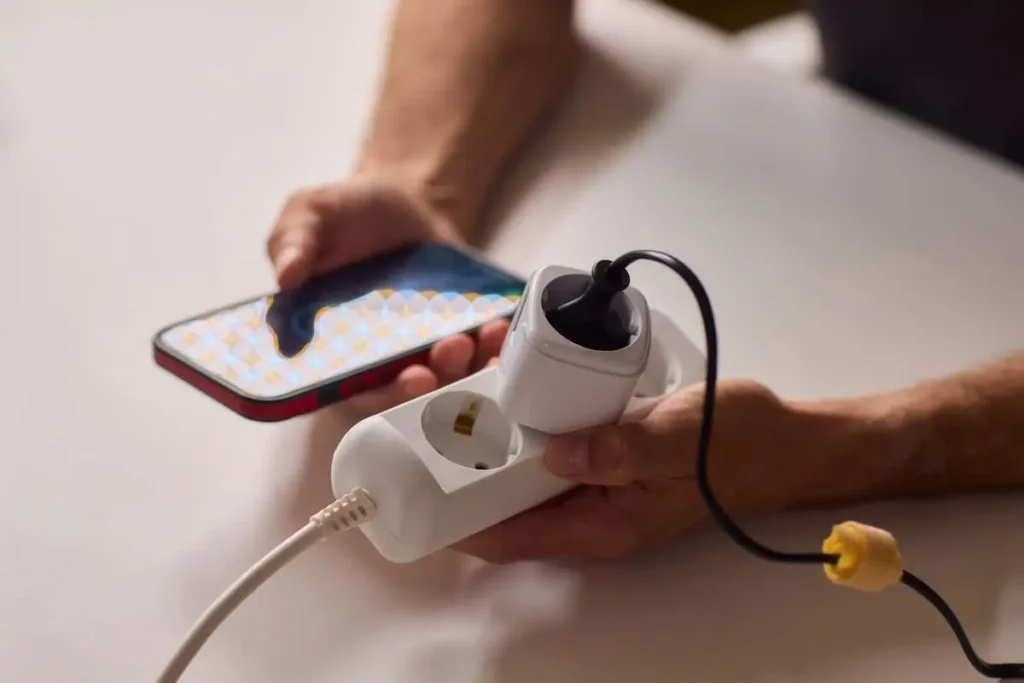
What is a smart plug? It’s a small adapter that sits between a wall outlet and anything with a cord, so you can turn that device on or off from your phone, with your voice or on a schedule. The lamp, fan or coffee maker stays “dumb.” The plug does the thinking. So what does a smart plug do day to day? It cuts or restores power, and that’s it. That simple job covers a surprising number of chores, from holiday lights to a router that needs a nightly reboot.
Below you’ll find how they work inside, the best uses, what you should never plug into one, what they really cost to run and how Matter changes things in 2027.
What Is a Smart Plug?
The shortest answer to what is a smart plug is this: a remote-controlled on/off switch that plugs into the outlet you already have. No wiring, no electrician. You push it into the wall, plug your device into it and pair it with an app.
What are smart plugs made of? A tiny power supply, a small chip with a radio (usually Wi-Fi) and a relay, which is the part that clicks when the power turns on or off. Some add a metering chip that measures how much electricity flows through.
People often mix up three similar products:
- A smart plug plugs into an existing outlet. Best for renters and anything with a cord.
- A smart outlet replaces the outlet in the wall. Neater, but it’s an electrical job.
- A smart switch replaces a wall switch and controls hardwired lights like ceiling fixtures.
There’s also the smart bulb vs smart plug question for lamps. A smart bulb can dim and change color. A plug only switches power, but it works with any bulb, including the vintage one you love.
How Does a Smart Plug Work?
How does a smart plug work when you tap “off” in the app? The command travels from your phone to the plug, either through the brand’s cloud server or straight across your home network. The plug’s chip receives it and tells the relay to open. The circuit breaks and the device loses power. Tap “on” and the relay closes again. Strip away the app and the answer to what is a smart plug is that relay. Everything else in the box is just a way to tell it when to click.
Schedules, timers and routines work the same way. Many plugs store their schedule on the plug itself, so a timer can keep running even if your internet drops. Check your brand’s app to be sure.
So how do smart plugs work with Alexa, Google or Siri? The plug’s app links to your voice assistant, or the plug joins that assistant directly through Matter. Then “turn off the fan” goes to the plug like any other command.
The biggest difference between models is how they connect:
| Connection | Hub needed? | Good to know |
|---|---|---|
| Wi-Fi | No | Easiest way to start; most plugs only join 2.4 GHz networks |
| Bluetooth | No | Works within range of your phone unless a smart speaker acts as a bridge |
| Zigbee or Z-Wave | Yes | Low-power mesh; each plug also strengthens the network |
| Matter over Wi-Fi | A Matter controller for remote control | Works with Apple Home, Google Home, Alexa and SmartThings |
| Matter over Thread | A Thread border router | Fast local mesh; HomePod mini, Apple TV 4K and some Echo and Nest devices can serve as the router |
If you’re asking how does a smart plug work without any hub at all, the answer is Wi-Fi. It’s why most people start there.
What Does a Smart Plug Do? Smart Plug Uses Worth Setting Up
Here’s what does a smart plug do once it’s in the wall, grouped by room. Any device you use must turn on by itself when power arrives, so leave its own switch in the “on” position.
- Lights: lamps on at sunset, holiday lights on a schedule, lights that come on while you’re away so the house looks lived in, fish tank lights and seedling grow lights on a fixed day length. For outdoor displays, our Christmas light timer guide compares plugs with plain timers.
- Kitchen: a coffee maker with a mechanical switch that starts before your alarm, a slow cooker that turns on midafternoon.
- Standby cutting: the TV, soundbar and console cluster off overnight, a window AC off when you leave.
- Peace of mind: check from bed whether you turned off the candle warmer, or get an alert when the freezer loses power.
- Quick fixes: reboot a flaky router or modem at 3 a.m. every night, or hard-reset a frozen device without reaching behind furniture.
- Family: a cutoff time for the kids’ TV, a baby monitor that turns on at bedtime.
- Garage: cut power to the garage door opener overnight so nobody can use a remote left in a car, and switch tool or e-bike chargers off on a timer.
The smarter smart plug uses link two devices. A temperature sensor can switch a fan on when a room gets hot. A plug with energy monitoring can tell you the washer is done when its power draw drops. Our list of smart home automation ideas has more of these.
How to Use a Smart Plug
What is a smart plug setup like? About five minutes of work. How to use a smart plug comes down to five steps:
- Download the brand’s app, or open Apple Home, Google Home, Alexa or SmartThings if the plug supports Matter.
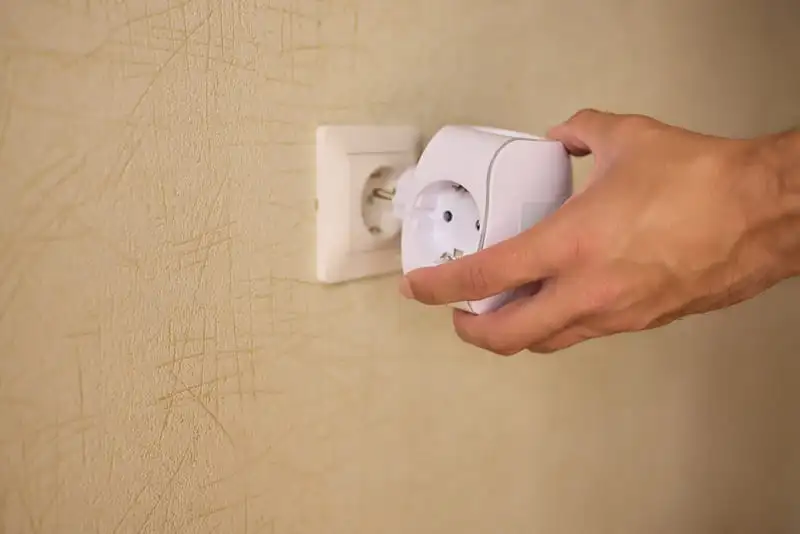
- Plug the smart plug straight into a wall outlet and wait for its light to blink.
- Join it to your Wi-Fi. If setup fails, check that your phone is on the 2.4 GHz band, since most plugs can’t see 5 GHz.
- Name it something you’ll say out loud, like “desk lamp,” then add schedules or routines.
- Plug in your device and switch it on. The smart plug now controls it.
Two settings are worth a look. “Power-on state” decides whether the plug comes back on or stays off after an outage. A child lock disables the button on the plug.
Can You Plug Anything Into a Smart Plug?
Almost anything that runs on a standard outlet, within two limits. A fair answer to what is a smart plug also covers what it can’t handle.
First, the load. Most US smart plugs are rated for 15 amps, or 1,800 watts at 120 volts. Some are rated for only 10 amps, and some list a separate, lower rating for motors, so read the label before you plug in a window AC or a pump. Second, the device has to turn on when power returns. Many TVs, printers and coffee makers with touch buttons go to standby instead, so the plug can turn them off but not back on. Some have a setting that restores power after an outage, which fixes this.
Outside, use a plug rated for outdoor use. An indoor plug in a damp spot is asking for trouble.
Then there’s the list of what devices should not be used with smart plugs, even when the numbers fit:
| Device | Why not | Do this instead |
|---|---|---|
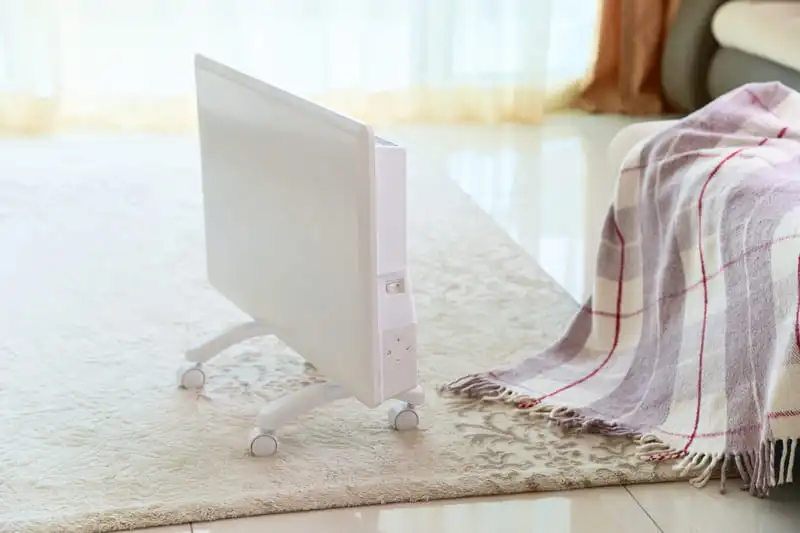
| Space heaters | Around 1,500 watts for hours, which wears the plug’s contacts and wiring | Plug straight into the wall and use the heater’s own timer |
| Anything over the plug’s rating | The relay and contacts overheat | Check the watts on the device label first |
| Medical equipment | A dropped command or a wrong routine can cut power | Plug it directly into the wall |
| Desktop PCs and storage drives | A sudden cut can corrupt files | Use the computer’s own sleep and shutdown settings |
| Fridges and freezers as on/off devices | One wrong tap spoils the food | Use a plug only to monitor them (see below) |
| Irons, hair tools and other heating appliances | Turning heat on remotely with nobody in the room | Use the plug only to switch these off |
Space heaters are the one to take seriously. The U.S. Consumer Product Safety Commission tells people to plug space heaters directly into a wall outlet, never into an extension cord or power strip, and estimates that portable heaters are involved in about 1,600 fires a year. A smart plug adds the same extra connection a power strip does.
Do Smart Plugs Save Energy?
Yes, when they cut real standby waste. The U.S. Department of Energy says standby power accounts for 5 to 10 percent of residential energy use and can cost a household as much as $100 a year. A plug that cuts a group of always-on gadgets overnight attacks exactly that.
Here’s the part most answers to what is a smart plug skip: the plug itself uses power. So do smart plugs use electricity when off? Yes, a little, because the radio has to keep listening. Amazon lists its Smart Plug at 0.88 watts in networked standby. Most Wi-Fi plugs land somewhere around 0.5 to 1.5 watts. That’s 4 to 13 kWh a year, or roughly 80 cents to $2.40 at 18 cents per kWh, the U.S. Energy Information Administration’s forecast average residential price for 2026.
So do smart plugs increase the electricity bill? They can, on the wrong device. Many newer TVs and consoles idle at half a watt or less, so a 1-watt plug on them adds to the bill. The math works on older, hungrier gear. Say a cable box and soundbar idle at 15 watts together and the plug cuts them for 16 hours a day. That’s about 88 kWh, or around $16 a year, against roughly $1.50 for the plug.
Keep expectations in proportion. If you’re wondering what wastes the most electricity in a house, it’s the big systems. According to the EIA’s breakdown of home electricity use, air conditioning takes about 19 percent, and space heating and water heating about 12 percent each. Do smart plugs save energy on those? Only on a window AC that restarts by itself. For the rest, a thermostat does more.
Smart Plug With Energy Monitoring
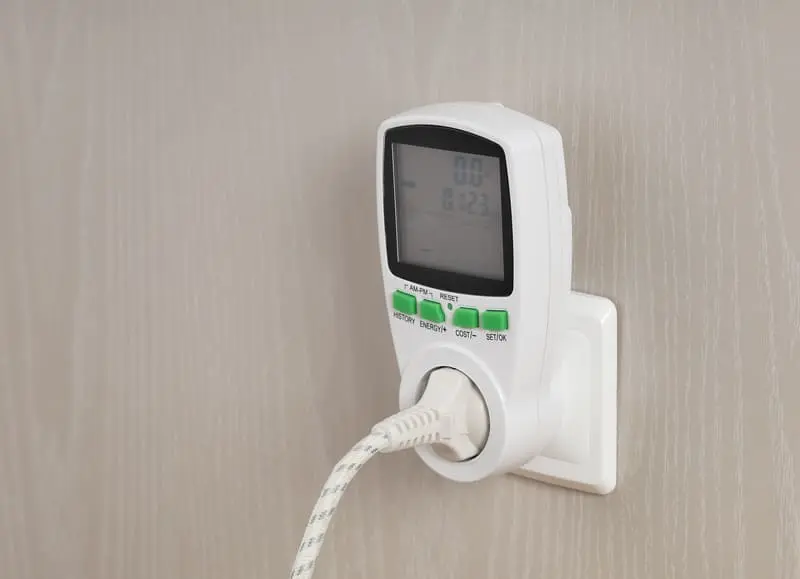
Ask a gadget fan “What is a smart plug good for?” and you’ll often hear “measuring things.” A smart plug with energy monitoring shows live watts and total kWh for whatever is plugged in, and most apps turn that into an estimated cost. It’s the cheapest way to find out what your old fridge or gaming PC really uses. These smart plugs for energy monitoring usually cost only a few dollars more than basic ones.
Two setups make them earn their keep:
- Laundry alerts: when the washer’s draw drops to near zero, the app or a routine sends “laundry’s done.”
- Freezer watch: lock the plug’s button, set the power-on state to “on” and create an alert for when the freezer stops drawing power. You’re using the plug as a monitor, not a switch.
Where you see the data depends on the plug and your app. Matter added energy reporting in version 1.3 in 2024, and Apple’s Home app began showing it with iOS 27 in fall 2026. Many plugs still keep their energy graphs in the maker’s own app. If you want to see the whole house, our smart home energy monitor guide covers panel monitors too.
What Is a Matter Smart Plug?
In 2027, the answer to what is a smart plug often includes one word on the box: Matter. A matter smart plug speaks Matter, the open smart home standard backed by Apple, Google, Amazon and Samsung. It works in Apple Home, Google Home, Alexa and SmartThings, and one plug can sit in more than one of those apps at once. That matters if your household mixes iPhones and Android phones. For the bigger picture, read our plain-English guide to what Matter is.
Matter plugs come in two kinds. Wi-Fi models join your router like any other plug. Thread smart plugs join a low-power mesh instead and need a Thread border router, such as a HomePod mini or a recent Echo or Nest Hub. Either way, how do smart plugs work across brands with Matter? The ecosystem app talks to the plug directly, without the maker’s cloud in the middle.
To pair a matter smart plug:
- Turn on Bluetooth on your phone.
- Open Apple Home, Google Home, Alexa or SmartThings and choose to add a device.
- Scan the Matter QR code on the plug or box, or type the numeric code printed under it.
- Name the plug and pick a room.
The setup code works once. To add the plug to a second app, create a new pairing code in the first app’s settings. You’ll also need a Matter controller, like an Apple TV, HomePod, Echo or Nest Hub, to control the plug when you’re away from home.
Does Kasa support Matter? Yes, on newer models. The KP125M was Kasa’s first kasa matter smart plug, and TP-Link’s Tapo P125M and outdoor P400M support it too. Older Kasa plugs such as the HS103 don’t. Look for the Matter logo on the box.
Disadvantages of Smart Plugs
An honest answer to what is a smart plug includes the trade-offs. The main disadvantages of smart plugs:
- Only on or off. A plug can’t dim a lamp, change a fan speed or press a touch button.
- Wi-Fi limits. Most need 2.4 GHz, and a weak router means “No Response” errors. A plug near the router or a mesh system helps.
- Bulk. Chunky plugs can block the second outlet. Slim models fix that.
- Standby draw. About 1 watt each, as covered above.
- Security. Every connected device is one more door. Buy known brands, keep firmware updated and consider a separate guest network for smart devices.
- The cloud can disappear. Belkin shut down the Wemo app and cloud on January 31, 2026. Remote access, Alexa and Google control stopped working, and only Wemo plugs already paired with Apple HomeKit kept running locally. Plugs with local control or Matter are safer bets.
How Much Do Smart Plugs Cost?
Less than most people expect. Most plugs cost $7 to $15 each, and a Thread or outdoor model costs more. Here’s what each type ran in late November 2026. Prices drop further around Black Friday, so a four-pack is usually the best deal.
| Type | Typical price per plug | Examples |
|---|---|---|
| Basic Wi-Fi plug | $7 to $12 (multipacks) | Kasa EP10, regular 4-pack price $29.99 |
| Matter Wi-Fi plug | $10 to $15 | Tapo P125M, Kasa KP125M |
| Smart plug with energy monitoring | $10 to $15 | Kasa KP125M (4-pack about $48), Tapo P110M, Emporia |
| Alexa-only plug | About $25 | Amazon Smart Plug, $24.99 list |
| Matter over Thread plug | $35 to $40 | Eve Energy, $39.95 list |
| Outdoor plug | $25 to $30 | Tapo P400M (25.99), GE Cync Outdoor (29.50) |
| Smart power strip | $45 to $60 | Kasa HS300, about $49 |
Smart Plug FAQs
Yes. Wi-Fi plugs work from anywhere through the brand’s app, as long as your home internet is up. Matter, Thread, Zigbee and Bluetooth plugs need a hub at home, such as an Apple TV, Echo or Nest Hub, before you can control smart plugs away from home.
Are Smart Plugs Safe?
Are smart plugs safe? Yes, when you buy one with a UL or ETL listing mark, stay under its rating and plug it straight into the wall. The risk comes from heaters and other heavy loads running for hours, and from no-name plugs with no safety listing.
Do Smart Plugs Work Without Wi-Fi?
Partly. The button on the plug always works. Schedules stored on the plug usually keep running. App and voice control stop until Wi-Fi returns, while Thread and Zigbee plugs keep working locally through their hub.
What Are Smart Plugs Best For?
What are smart plugs best for? Lamps, holiday lights, standby clusters, router reboots and anything you forget to turn off. They’re weakest on anything you’d want to dim, adjust or heat.
So, Are Smart Plugs Worth It?
For $10 to $15 each, yes. And what is a smart plug worth to most homes? A cheap, renter-friendly way to automate the things you switch by hand every day.
Do smart plugs save energy? On a cable box, a window AC or a forgotten curling iron, yes. On a modern TV that already sips power, not much. The bigger payoff is convenience and peace of mind.
If you’re buying your first set, get a four-pack of Matter plugs where each one is a smart plug with energy monitoring. Put one on a lamp, one on the holiday lights, one on the TV cluster and keep one spare to measure your oldest appliance. Within a week you’ll know exactly what does a smart plug do for your routine, and which outlet gets the next one. Just keep the space heater on the wall.