
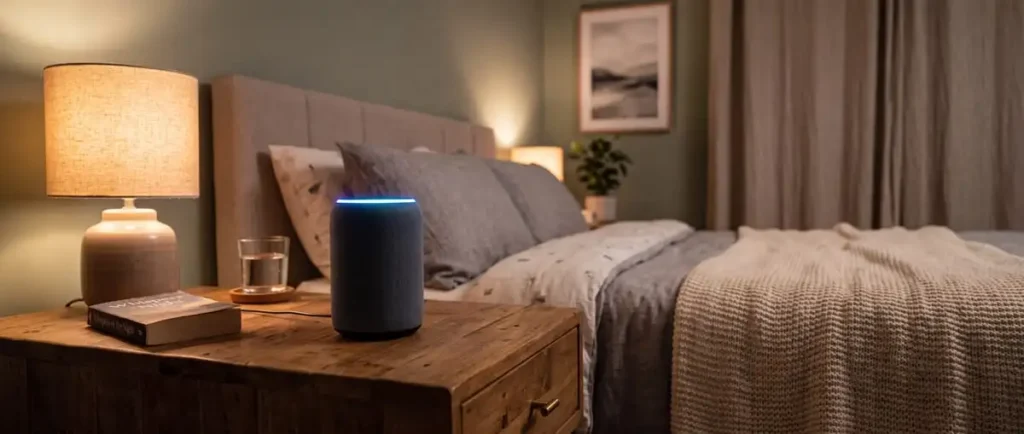
An Alexa goodnight routine is an automated list of commands that is activated with the voice command “Alexa, goodnight.” You can switch off the lights, lock the door, reduce the heating temperature and play some rain sounds with just one voice command. To create such a routine, open the Alexa app, select More, then select Routines and the plus button. Create an event (that is your voice command), add actions and tap Save. With Alexa+, you can describe the routine with your voice, without the need to use the app. Without a routine, Alexa just says goodnight to you and nothing changes in your house.
Below you’ll find the steps, six goodnight routines, one morning routine and troubleshooting tips.
What an Alexa Goodnight Routine Actually Does
Think of it as one switch for the whole house at bedtime. Instead of walking from room to room, you say one phrase from bed and Alexa works through a list. A typical Alexa goodnight routine turns off the downstairs lights, leaves a small lamp on next to the bed, locks the front door, lowers the heat a few degrees and plays sleep sounds for an hour.
This is a bedtime ritual performed on autopilot. The NHLBI, which is part of the National Institutes of Health, advises against bright artificial light from a TV or computer screen right before bedtime and recommends keeping the room quiet, cool and dark. According to the NIH’s NIGMS, your brain regulates the production of melatonin depending on the amount of light entering your eyes, and the light of electronic devices at night can confuse your body’s internal clock. A routine that dims the house at the same time every night does that work for you.
New to all this? Find out about smart home automation from our guide.
How to Set Up an Alexa Goodnight Routine in the App
Building an Alexa goodnight routine takes about five minutes. These steps follow Amazon’s current help webpages. If your app displays “When this happens” and “Add action,” you’re using an older version, but the process is identical.
- Open your Alexa app and tap More, then Routines.
- Tap the plus icon and name the routine, for instance “Goodnight.”
- Tap Add an event, select Voice and enter “goodnight.” Add “good night” as a second phrase because Alexa may consider these phrases different.
- Tap Add an action. Smart Home includes control over lights, outlets, locks and thermostats. It is possible to add a verbal response, sounds for falling asleep, music and even a delay step.
- Choose which Echo device is going to execute this command. For bedtime, it should be the one installed in the bedroom, because the response will come from there.
- Tap Save.
Test the routine once and see that everything works properly before using it regularly. Open the routine and tap the play icon. If all actions are executed, your setup is good, and any later problem is with the trigger.
Here are some additional pieces of information that you might find useful:
- You can create up to 200 routines in one account, so having different versions for weekdays and weekends is also okay.
- A family member with Voice ID can have a voice-specific phrase.
- If you need to pause the routine without deleting it, switch it from Enabled to Disabled.
- To delete a routine, open it, tap the three dots and select “Delete Routine.”
Also, Amazon provided pre-made routines like “Time for Bed.” With this routine, you can turn on a night light and listen to sleep sounds by saying “It’s bedtime.”
Build It by Voice With Alexa+
Alexa+ became available to everyone in the US on February 4, 2026. Alexa+ is free for Prime members and costs $19.99 per month otherwise. The command to upgrade is “Alexa, upgrade to Alexa+.”
Alexa+ allows you to describe your routine in ordinary language. As an example provided by Amazon, you can ask, “Can you play music and turn the lights on in my bedroom every weekday at 7AM?” For an Alexa goodnight routine, try “Alexa, every night at 10, turn off the downstairs lights, lock the front door and play rain sounds in the bedroom.” Then open the app and see what it created.
It is possible to modify the routine by voice straight away after it has been created. Later, it can be edited within the application itself. Alexa+ introduces new types of routines as well, such as weather-based routines and routines that start when a specific family member says good morning.
Using devices from several manufacturers? Check our ranking of the best smart home app for integration hubs.
6 Alexa Goodnight Routine Recipes You Can Copy
Each recipe gives the trigger, the actions and the hardware it needs. Add both spellings of your trigger phrase every time.
1. The Classic Shutdown
Trigger: “goodnight” or “good night.”
Actions: Turn off all lights except for the bedroom light set at 10%, secure the front door, set the thermostat to your nighttime setting, have Alexa say goodnight, then play sleep music or a playlist with a set timer.
Requirements: Smart bulbs or plugs, plus a smart lock and a thermostat if you plan on taking that route.
This is the Alexa goodnight routine most people are after, and it’s the base for everything below.
2. The Quiet Version for a Sleeping Partner
Trigger: A different phrase, like “go to sleep,” or run it from the app on your phone.
Actions: The same as the classic, minus the spoken reply and the music.
A voice trigger can still get you a short “OK.” Running it from your phone or on a schedule keeps it silent. There’s more on Alexa routine mute options further down.
3. The Slow Fade
Trigger: Your voice or a specified time.
Actions: Tap Add an action, followed by Control Device, select your dimmable light, tap Brightness, select Ramp to Brightness and configure it to gradually decrease the brightness to 1% over 15 to 30 minutes. End with an action to turn off the light.
Requirements: A dimmable smart light bulb that can ramp. If yours can’t, manually create the gradual dimming effect as follows: 30%, wait five minutes, 20%, wait five minutes and so on.
Add this fade to the end of your Alexa goodnight routine so the bedroom goes dark slowly after you’re already in bed.
4. The Wind-Down Nudge
Trigger: A schedule set 30 to 60 minutes before bedtime.
Actions: The living room lights dim to 1% for a few seconds and come back up; an audio message says “Thirty minutes to bed”; and after a delay, the TV goes off.
According to the CDC, it is advisable to turn off electronic devices at least 30 minutes before sleep, and this routine does it for you automatically. The ability to turn off the TV requires a Fire TV or smart plugs.
5. The Kids’ Night Light
Trigger: “bedtime” or a school-night schedule.
Actions: A bulb that emits a warm red color and dims down every 15 minutes, eventually switching off after one hour.
Once the bulb switches off, the hour has ended, and by then the children are usually already asleep.
6. The Holiday Goodnight
Trigger: “goodnight” between late November and January.
Actions: Turn off the tree and outdoor lights, followed by a carol for a few minutes.
You will require smart plugs on your lights so Alexa can control them. A Christmas light timer can help here if you want to keep Alexa out of it.
Pair It With an Alexa Morning Routine
An Alexa goodnight routine works best with a morning routine that undoes it. Build the Alexa morning routine the same way. Use “good morning” as the voice trigger, choose your alarm as the event so it starts when you dismiss it, or set a weekday schedule.
Good Morning Routine:
- Ramp to Brightness, gradually increasing from 1% to 100% over 20 to 40 minutes
- A morning greeting, followed by the weather and the day’s schedule
- A coffee machine connected via a smart plug
- Either news or a playlist playing in the kitchen
- The thermostat switched back to its normal daytime temperature
With Alexa+, an Alexa morning routine can start when one particular family member says “good morning,” so everyone gets their own lights and news. Alexa+ may also offer to set up a routine if you say you struggle to wake up on dark mornings.
One tip: start the light ramp 20 minutes before your alarm. By the time the alarm sounds, the room is already bright. Keep weekends separate so the Alexa morning routine doesn’t wake the house at 6:30 on a Saturday.

Alexa Routine Mute: How to Keep Routines Quiet
Search for Alexa routine mute and you’ll find several different problems under one phrase. Here’s what each control really does.
The microphone button disables the microphones and illuminates the red light ring. Alexa stops listening and, therefore, voice-activated routines won’t be initiated on that Echo device. It doesn’t make Alexa silent, and you can still activate the routines through the app.
Do Not Disturb prevents calls, messages, announcements and notifications. It doesn’t prevent alarms, timers or reminders. This feature can also be set to a schedule. Open the device in the app and tap on the Do Not Disturb setting. Next, select Scheduled and configure the times.
Brief Mode swaps many spoken confirmations for a short chime. Find it under More, Settings, Voice Responses. Whisper mode makes Alexa whisper back when you whisper. Say “Alexa, turn on whisper mode.”
A volume step inside the routine helps, but a routine set to volume 0 may still play a quiet “OK.” For a true Alexa routine mute, start the routine from the app or a schedule rather than your voice.
If a scheduled routine talks at a bad moment, such as during a work call, switch it to Disabled for the call or move it to an Echo in another room.
Why is my Alexa muting itself? A red ring that seems to appear on its own usually means someone pressed the mic button by accident, often while moving the device. Press it again. If Alexa goes quiet every morning, check More, then Routines, for a morning volume routine you accepted from an app prompt, and turn it off.
Tired of “By the way” suggestions? Say “Alexa, stop by the way.” Some people only get a temporary snooze from that, so also turn off Things to Try under More, Settings, Notifications.
How to Build an Alexa Intruder Alert Routine
“Alexa, intruder alert” isn’t a built-in command. It only works if you build an Alexa intruder alert routine yourself. Many guides still build theirs on Alexa Guard, which Amazon has retired, so skip any steps that mention it.
The voice version:
- Choose a trigger phrase that you will never use accidentally, such as “red alert, red alert,” and not a random phrase that could come from the TV.
- Include actions: all lights turned on (in color if colored lights are available), announcements from every Amazon Echo, very loud music and notifications sent to your phone.
- Save it and test it when everyone is awake.
The motion version: on supported Echo models with ultrasound motion detection turned on, you can start a routine from Smart Home, then Occupancy, then “People are detected.” Limit it to overnight hours and have it announce and send you a notification.
Keep your expectations honest. An Alexa intruder alert routine isn’t monitored and can’t call the police, and by default Alexa doesn’t call 911. Amazon’s paid Alexa Emergency Assist adds 24/7 Urgent Response agents who can request help, smoke and CO alarm detection, glass-break detection and up to 25 emergency contacts. GearBrain listed it at $7.99 a month or $79 a year for non-Prime members in October 2025. Away Lighting, which turns lights on and off while you’re out, is still free.
Skip gunshot sounds and fake “police are on the way” announcements. They can frighten neighbors or make a real situation worse. Test your Alexa intruder alert routine in daylight, so nobody gets a 2 a.m. surprise.
Funny Alexa Routines Worth Stealing
Most lists of funny Alexa routines are really lists of funny questions to ask Alexa. These are actual routines: a phrase, a few actions and a response.
- “Lumos maxima”: turn all the lights to 100%. Create a “Nox” routine to turn them off.
- “It’s movie time”: dim all the lights to 5% and let Alexa say “Lights, camera, action.”
- “I’m cooking spaghetti”: turn on the kitchen lights, play Italian music and, after waiting 10 minutes, announce via Alexa that your pasta will be ready soon.
- “Abandon ship”: turn off all the lights, set the thermostat to away mode and lock the doors, while Alexa responds with “Aye aye, captain.”
- Cat night patrol: if a motion sensor in the kitchen detects any movement between 2 and 5 a.m., the living room Echo will say “Off the counter!”
- “Release the hounds”: play some dramatic music when the robot vacuum is turned on.
The best funny Alexa routines reuse what you already own: lights, a speaker and maybe one motion sensor. Keep funny Alexa routines on their own phrases, away from your goodnight trigger, so a joke never fires at bedtime. Under Alexa+, the Sassy personality style adds even more attitude to the replies.
Alexa Routines Not Working? Try These Fixes
Most cases of Alexa routines not working come down to a few checks. Start with a test: open the routine in the app and tap play. If it runs, the trigger is the problem. If it fails, an action or a device is.
Amazon’s own checks:
- Make sure the routine is set to Enabled, or switch it off and on again.
- Make sure the Echo is connected to Wi-Fi.
- Make sure every device in the routine shows as online in the app.
An Alexa routine not working only at bedtime is usually down to the trigger. Work through these next:
- Trigger phrase: add both “goodnight” and “good night,” and pick a phrase Alexa doesn’t already use for something built in. Since Alexa+ arrived, some built-in commands have overridden custom phrases. An Alexa routine not working right after you change its phrase may just need a minute to catch up.
- Device setting: if the routine answers on a specific Echo, it won’t respond to a different one.
- Device names: rename a lamp in its own app and any Custom action that names it can break.
- Bridges: if lights show as not responding in Alexa but work in their own app, restart the bridge (a Philips Hue Bridge, for example).
- Voice History: check Activity, then Voice History, to see what Alexa actually heard.
- Restart and update: restart the Echo, then the router, and update the Alexa app.
When it’s one Alexa routine not working while the rest run fine, rebuild that one from scratch. A smart thermostat that ignores the routine may need its own restart. Here’s how to reset an Amazon Smart Thermostat.
If you’re seeing Alexa routines not working along with basic voice commands, the problem is probably Amazon’s. On October 20, 2025, an AWS outage left Alexa unable to switch off lights or give the weather for hours. In January 2026, TechRepublic reported Amazon moving some Prime members to Alexa+ without asking, with complaints of lag and missed commands. Saying “Alexa, exit Alexa+” was the suggested way back, though not everyone found it worked.
Is It Safe to Keep Alexa in the Bedroom?
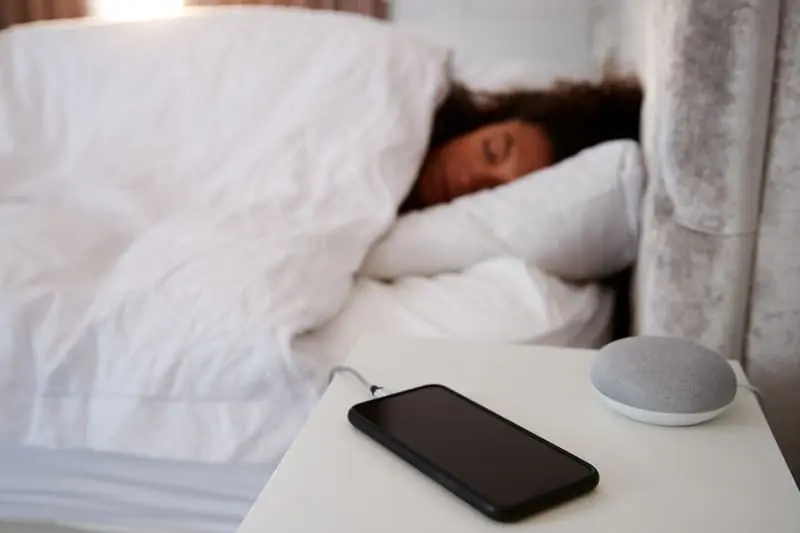
The bottom line is the settings. An Echo device picks up the wake word locally, on the device itself. Amazon says that nothing is stored or uploaded to the cloud until the device hears the wake word, and the blue light indicates that Alexa is listening to the request.
False wakes occur. A 2020 study conducted by Northeastern University and Imperial College London concluded that smart speakers had accidental wake-ups up to 0.4 times per hour, and most of these were brief.
For a bedroom Echo, use these settings:
- Mic button: press it to turn the microphones off. Routines will still work from the app, but not by voice.
- Auto-delete: select More, then Alexa Privacy, choose voice recordings and set them to delete after 3 or 18 months. Selecting “Don’t save” also deletes Voice IDs, so routines will not recognize your voice anymore.
- Cameras: keep an Echo Show with a camera out of the bedroom or cover it.
A well-built Alexa goodnight routine can help here too. Let it play sleep sounds with a time limit, then press the mic button before you drift off.
Why are people getting rid of Alexa? Privacy is part of it. On March 28, 2025, Amazon ended the “Do Not Send Voice Recordings” option on the Echo Dot (4th Gen), Echo Show 10 and Echo Show 15, so those requests now go to the cloud. In 2023 the FTC said Amazon didn’t protect Alexa users’ or children’s privacy, and Amazon agreed to a $25 million penalty. Other people leave over ad-like “By the way” suggestions, reliability problems or Alexa+ switching on without being asked.
FAQs
Without a routine, Alexa replies with a goodnight message and that’s it. Once you set up an Alexa goodnight routine with “goodnight” as the trigger, the same phrase runs all your actions.
How do you make Alexa stop a routine?
When you say “Alexa, stop,” the sound stops. If you want to prevent a routine from being activated again, just turn off or delete the routine in the app.
What are Alexa’s trigger words?
The wake word can be Alexa, Amazon, Echo, Computer or Ziggy. You set it separately for each device via the app. However, the trigger phrase for a particular routine can be almost anything.
What is Alexa sassy mode?
It is one of four Alexa+ personality styles (Brief, Chill, Sweet and Sassy) that Amazon released in February 2026. The Sassy personality style involves the use of sarcasm and sometimes even bleeped-out profanity. Extra security checks are required for this personality style in the app. Sassy isn’t an option when using Amazon Kids. To switch, say “Alexa, change your personality style.”
What is the secret cheat code for Alexa?
Tell Alexa, “Up, up, down, down, left, right, left, right, B, A, start.” It usually responds with “Super Alexa mode activated,” followed by a funny remark. It serves no practical purpose at all, but it is quite entertaining to perform for visitors.
What is wrong with Alexa right now
When voice commands fail and you find Alexa routines not working on every Echo at once, it’s almost always an Amazon outage or a bad update. Restart your router and one Echo, then give it a few hours before you change any settings.
How do I trigger an Alexa routine from Home Assistant?
Expose a toggle switch (a toggle helper) to Alexa either via Nabu Casa or the Alexa Smart Home skill and then use that toggle switch as the trigger for the routine. Flipping it in Home Assistant runs the routine.
Your First Week With a Goodnight Routine
Start your Alexa goodnight routine small: three actions, both versions of the trigger phrase, performed on the Echo in the bedroom. Try to live with it for a week, then introduce fading, locking and temperature control one after another, so you can find out which element failed if something goes wrong. If you need more actions to perform, take a look at our list of smart home automation ideas.